InspectDay
Help
Create Inspection
Create an inspection for a property, from a template linked to its property type.
To create an inspection:
- Click Create Inspection.
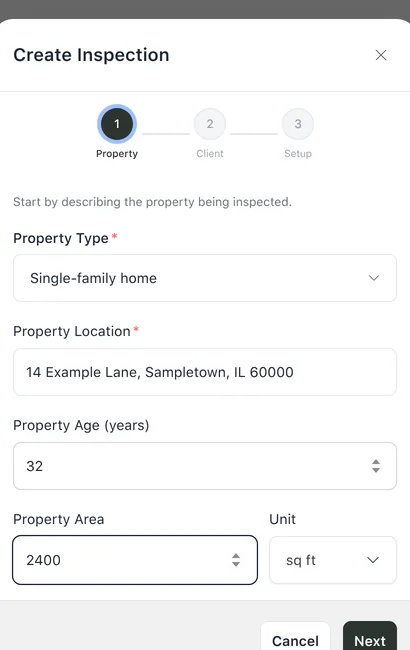
- On Property, choose a Property Type and enter a Property Location.
- Click Next.
- On Client, enter a Client Name. Enter a Client Email and a Client Phone if you have them.
- Click Next.
- On Setup, choose an Inspection Template, choose an Inspection Date, and choose Inspectors.
- Click Create.
Limits
- Property
- Property Type and Property Location are required.
- Client
- Client Name is required. A Client Email must be a valid email format, and a Client Phone must have 7 to 15 digits, when either is entered.
- Inspection Template
- Required. The list shows the templates linked to the property type. When none is linked, the dialog says so and points to the Templates page.
- Inspection Date
- Required.