InspectDay
Help
Create Demo Data
Add sample inspection data to your organization to explore InspectDay.
To create demo data:
- On the Dashboard, click Get Started in the welcome banner. The Welcome checklist also opens after you create your organization.
- On Add Users, click Skip.
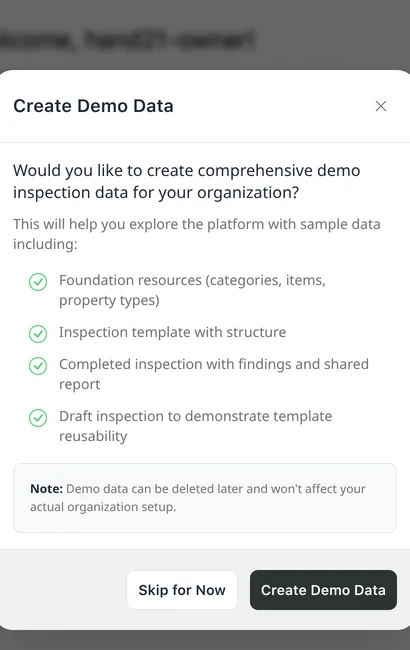
- On Create Demo Data, click Details.
- Click Create Demo Data, or click Skip for Now.
The demo data adds foundation resources, an inspection template with structure, a completed inspection with findings and a shared report, and a draft inspection. You can delete it later. It does not change your organization’s setup.
Limits
- Who removes it
- Only the owner can remove demo data, from the Dashboard.