---
title: "Inspection reporting software for your business | InspectDay"
description: "Record findings, attach photos, and publish reports your clients can open. Inspection software for inspection businesses."
---
Inspection reporting software
# Unlimited inspection reports, even on the free plan.
Record findings, attach photos, and publish reports your clients can open. No per-report fees on any plan.
Free: one inspector, one template, 2 GB storage, no admin seat. Team: three inspectors and unlimited admins.
[See how reports are built](#reports) [Compare plans](/pricing/)
Account signup link pending.
InspectDay · Dashboard
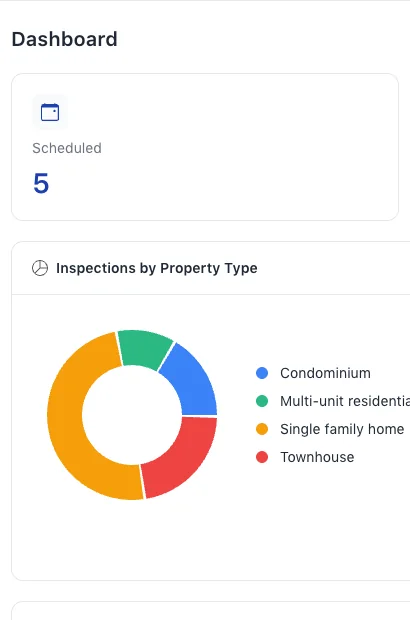
*Fig. 01 · Web app **Dashboard.** Status counts, recent reports, upcoming inspections and the busiest inspectors on one screen. Owners and Admins see the dashboard; Managers and Inspectors do not.*
## Plans for your inspection business.
Choose the people and space you need. Start with the fit below, then compare every inclusion after the reporting workflow.
- Free
- **Free** no billing cycle
-
1 inspector. No admin seat. No collaborative inspections.
Unlimited inspections. 1 template. 2 GB storage. Brand customisation not included.
- Solo
- **$49.00 USD** per month, billed monthly
-
1 inspector. 1 admin. No collaborative inspections.
Unlimited inspections. Unlimited templates. Unlimited storage. Brand customisation included.
- Team
- **$149.00 USD** per month, billed monthly
-
The Team plan includes three inspectors, unlimited admins and collaborative inspections. Need more than three inspectors? Ask us about additional seats.
Unlimited inspections. Unlimited templates. Unlimited storage. Brand customisation included.
[Compare plans](/pricing/)
Plan your inspections
## Build the template once. Reuse it on every job.
Sections, areas and the items you inspect make up the template. Schedule each inspection with its property, client, date and inspectors, then follow it from the inspections list.
Author templates in the web app. The web app and inspection creation need a connection; the native mobile app selects templates rather than authoring them.
InspectDay · Inspection Templates
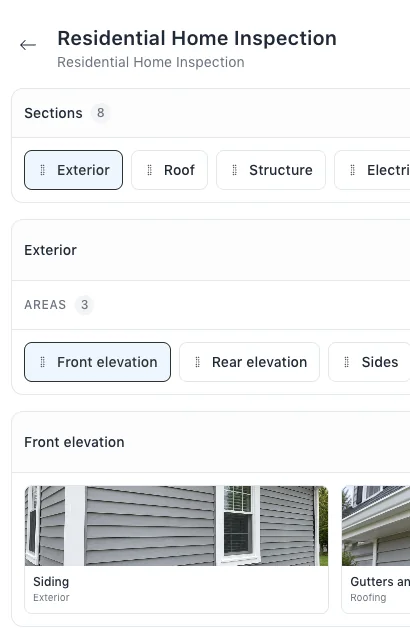
*Fig. 02 · Web app **Template.** Sections, areas and items, built in the web app. Items are picked from your library; sections and areas can be reordered, items cannot.*
InspectDay · Inspections
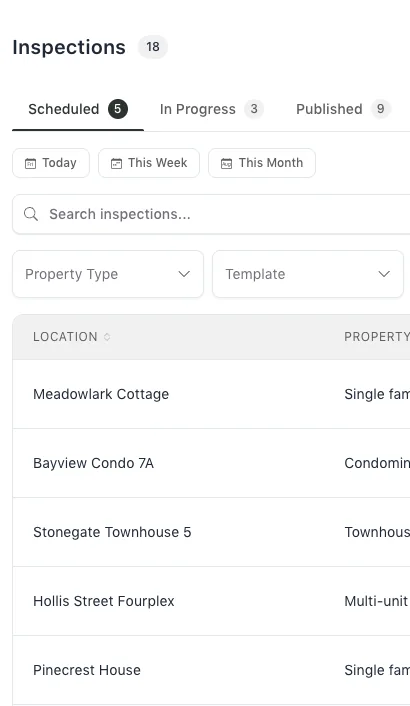
*Fig. 03 · Web app **Inspections.** Status tabs, search, and filters for property type, template and date range, with a CSV export of the list. Scheduling is by date, with no time of day.*
Inspect on site
## Record every finding where you find it.
Inspectors work through sections, areas and items in the native mobile app, recording conditions, findings, photos and recommended actions.
Creating an inspection needs a connection. Cached inspection work can queue changes on device. Some failed changes may not sync; check the published contents, not just the sync indicator.
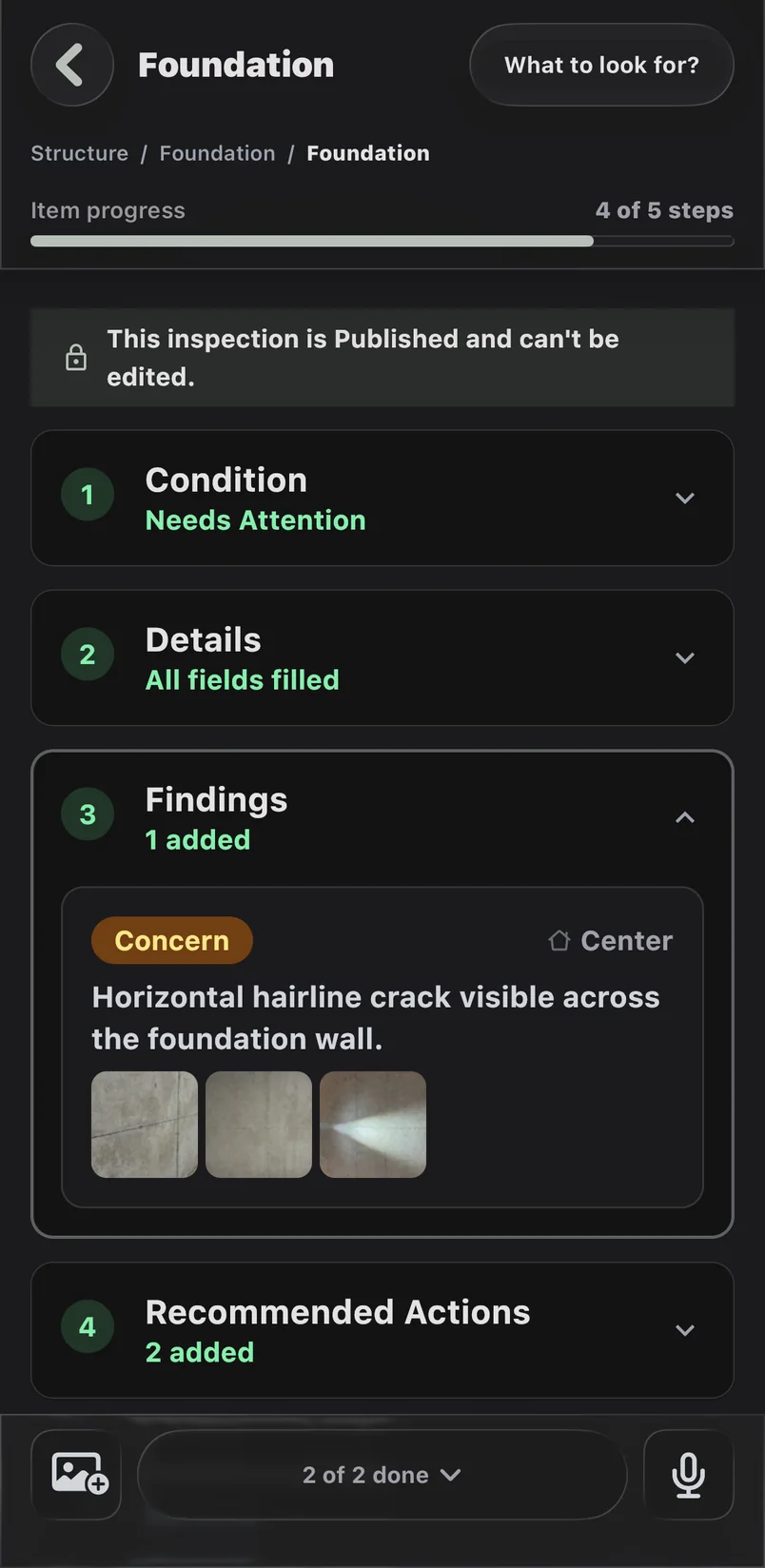
*Fig. 04 · Native mobile app **An item on site.** Set the condition, then add findings with their severity, location and photos, and the recommended actions.*
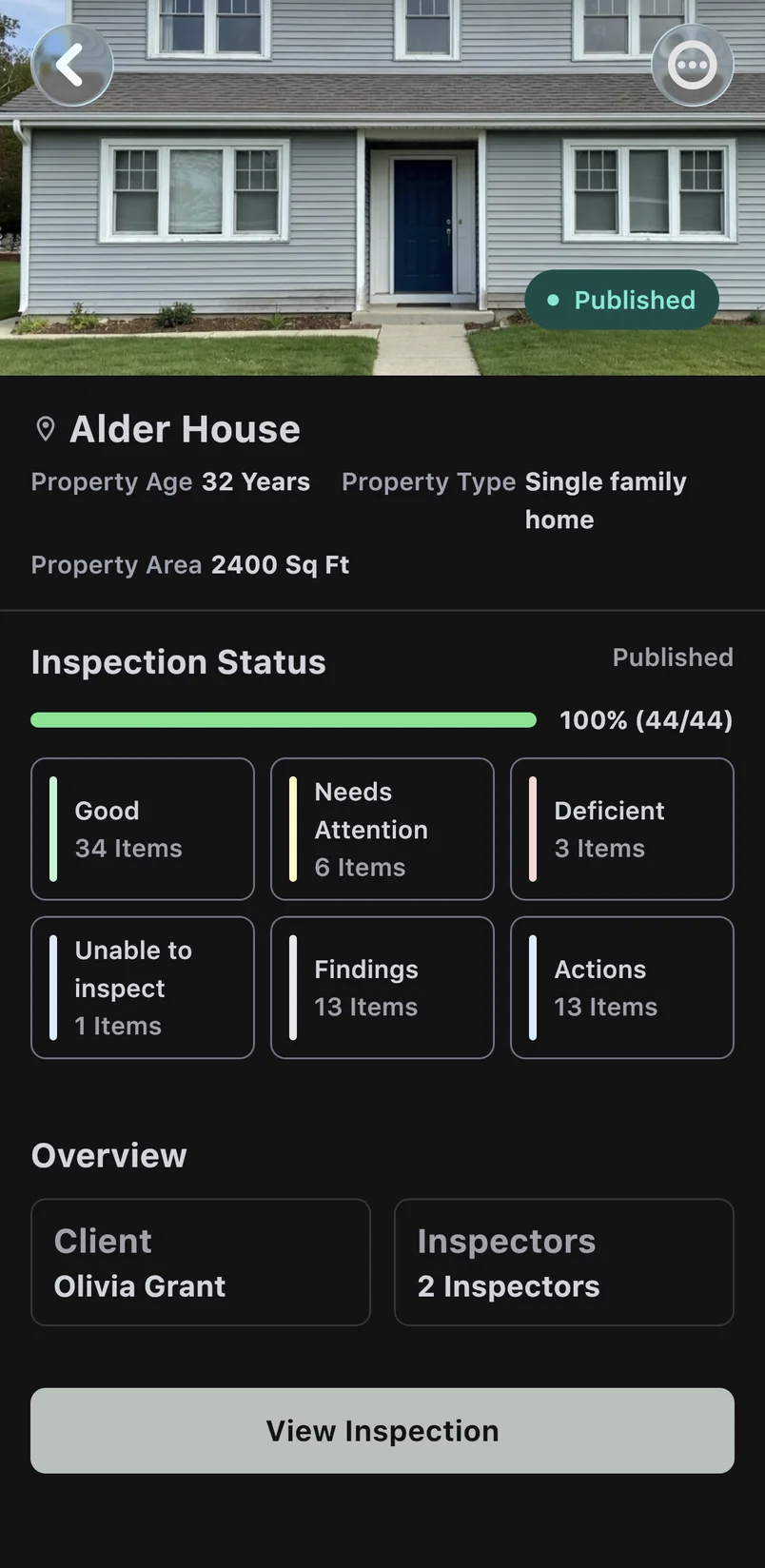
*Fig. 05 · Native mobile app **Inspection status.** The property and its progress, with every item counted by condition.*
The complete report
## Publish a report your client can open.
Publish the inspection and share the report with your client. Findings, recommended actions and photos are laid out for the reader, who can filter to the conditions they care about.
Check the finding, recommended action and associated photo in the published report before sharing it.
The report can also be exported as a PDF from the web browser.
Report access depends on link type: direct links are not passcode-gated; email sharing uses a one-time passcode. The PDF export runs in the web browser and is an image of the report, not a searchable document. Publishing does not guarantee that queued changes have finished syncing, so check the report before you share it.
Residential Home Inspection · Alder House
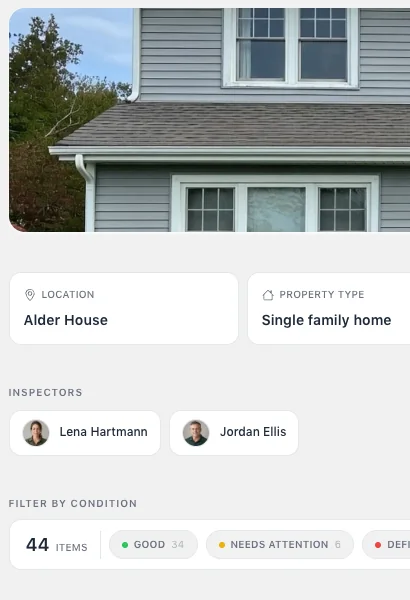
*Fig. 06 · Web app **Published report.** Filter the published report by Good, Needs Attention, Deficient or Unable to Inspect. The condition set is fixed and cannot be renamed.*
Residential Home Inspection · Alder House
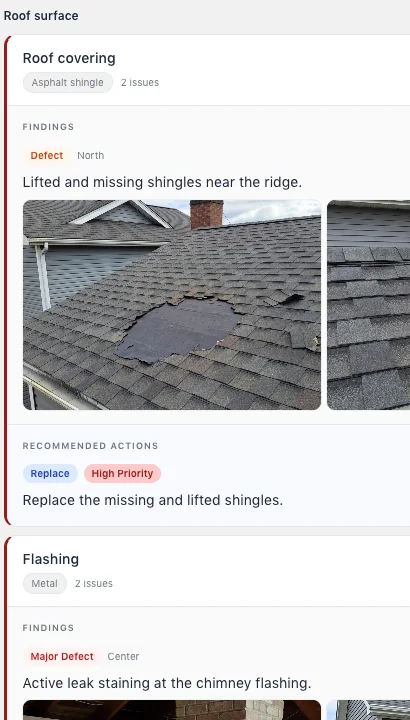
*Fig. 07 · Web app **Deficient items.** Each finding carries its severity, location and photos, with the recommended action beside it. Location is a named position, not a pin on the photo.*
Residential Home Inspection · Alder House
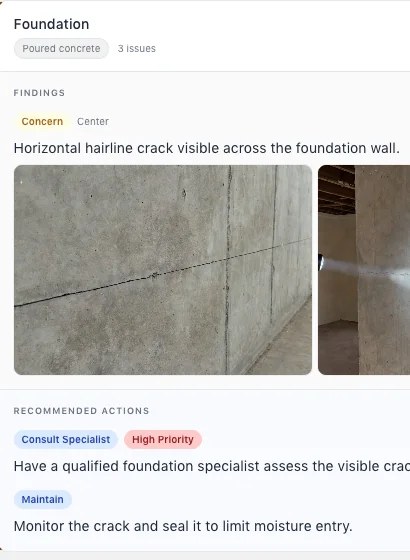
*Fig. 08 · Web app **Needs Attention.** A finding can hold several photos and more than one recommended action, each with its type and priority.*
Reports on any device
## The same report, on your client's phone.
The published report adapts to a phone browser, with the same findings, photos, recommended actions and condition filter.
There is no PDF export in the native mobile app. Export the PDF from a web browser.
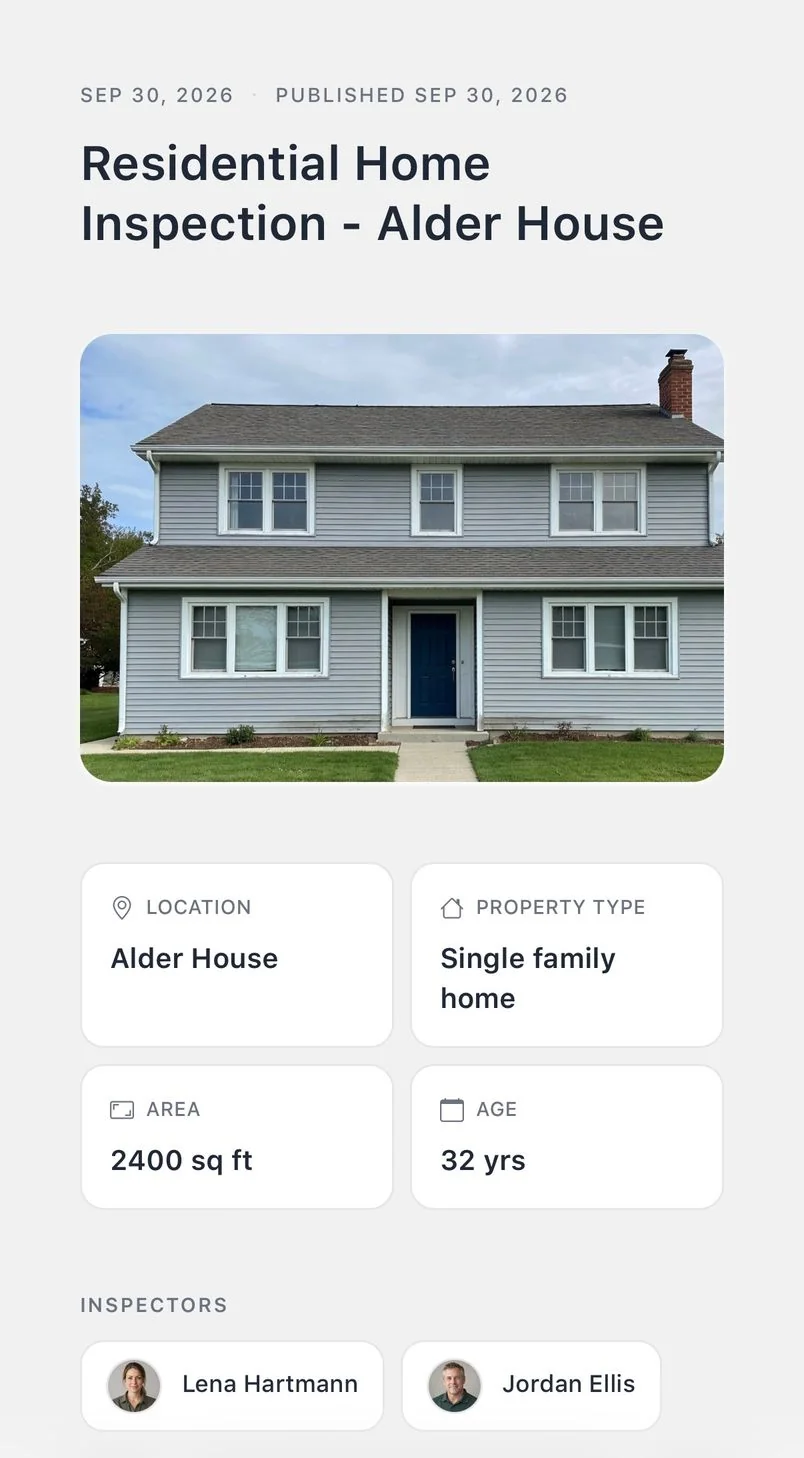
*Fig. 09 · Phone browser **The report on a phone.** Clients open the same published report in a phone browser. Direct links are not passcode-gated; email sharing uses a one-time passcode.*
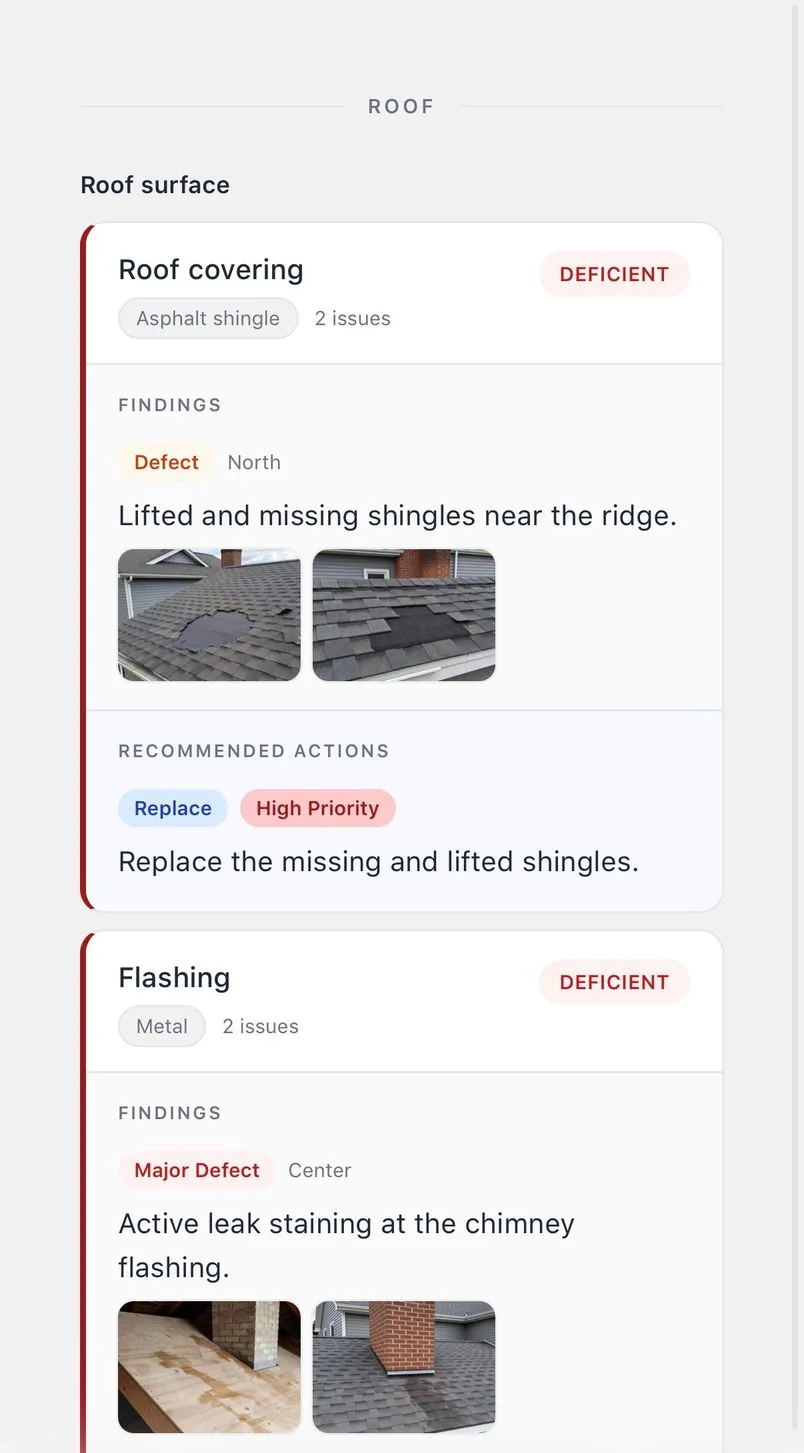
*Fig. 10 · Phone browser **Filtered on a phone.** The condition filter works on the phone too, here showing the Deficient items.*
Built for teams
## Three inspectors. Unlimited admins. One Team plan.
### Team
The Team plan includes collaborative inspections for three inspectors and unlimited admins. Inspectors can work on the same inspection using shared templates and libraries. Need more than three inspectors? [Ask us about additional seats](/contact/).
### Solo
Solo covers one inspector and one admin, with unlimited inspections, templates and storage.
### Free
Free includes one inspector, one template and 2 GB of storage, with unlimited inspections. No admin seat or collaborative inspections.
[Compare plans in detail](/pricing/)
InspectDay · Users
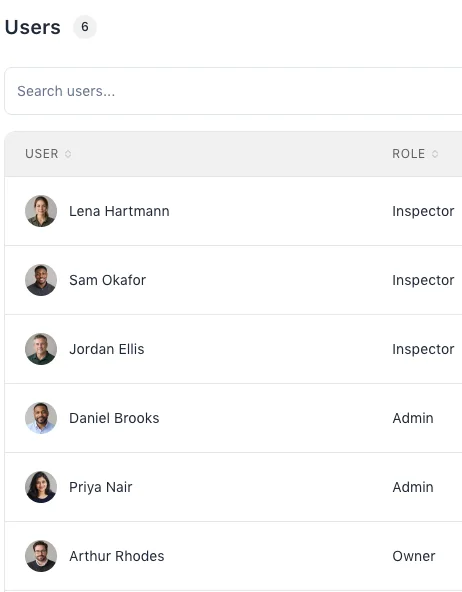
*Fig. 11 · Web app **Users.** Add team members and give each a role: Owner, Admin, Manager or Inspector. Members are created directly, with no pending or resend step.*
### Free
Try the workflow on one template.
- Included: 1 inspector
- Included: Unlimited inspections
- Included: 2 GB storage
- Included: 1 template
- No admin seat
- Not included: Brand customisation
- Not included: Collaborative inspections
- Not included: Buy extra inspector seats
### Solo
One inspector with an admin behind them.
- Included: 1 inspector
- Included: Unlimited inspections
- Included: Unlimited storage
- Included: Unlimited templates
- Included: 1 admin
- Included: Brand customisation
- Not included: Collaborative inspections
- Not included: Buy extra inspector seats
### Team
Several inspectors and the office that runs them.
- Included: 3 inspectors, add more as you grow
- Included: Unlimited inspections
- Included: Unlimited storage
- Included: Unlimited templates
- Included: Unlimited admins
- Included: Brand customisation
- Included: Collaborative inspections
- Included: Buy extra inspector seats
Team covers three inspectors, and extra inspector seats can be added; seat prices are not published here, so [ask us about additional seats](/contact/). [Compare every billing cycle and limit](/pricing/).
A practical look
## What it does. What to know.
Capabilities and their limits, in the same place.
- Findings
- Record conditions, findings, and actions against the areas and items in an inspection.
- Media
- Add photos to inspection findings.
- Sharing
- Publish and share reports. Access depends on the link type, so not every link requires a one-time passcode.
- Offline behaviour
- Open inspections already cached on your device and queue changes for later sync. Creating inspections and fetching reports need a connection. Some failed changes may not sync, and publishing does not guarantee that all queued work has synced.
- PDF export
- Export reports as PDFs from the web browser. The export is image-based, not a native mobile or vector PDF.
## Start your next inspection report with InspectDay.
Inspection software for inspection businesses.
[Compare plans](/pricing/) [Talk to us](/contact/)
Account signup link pending.
**Analytics choice.** May we measure which pages and ad campaigns bring visitors here? It uses an identifier stored on this device. Until you choose, nothing is stored on your device. [How analytics works here](/privacy/#analytics).
Decline Allow analytics