---
title: "Finish on site: the home inspector app | InspectDay"
description: "The home inspector app from InspectDay for iPhone, iPad and Android. Work with or without a signal, add photos, video and markup, and finish and send the report on site."
---

1. [Home](/)
2. Home inspection app

# Finish on site: the home inspector app

On iPhone, iPad and Android, work with or without a signal, and publish once every change has sent.

[Get started](https://app.inspectday.com/auth/signup?control=opening) [Compare plans](/pricing/)

- Free plan on one template, no card
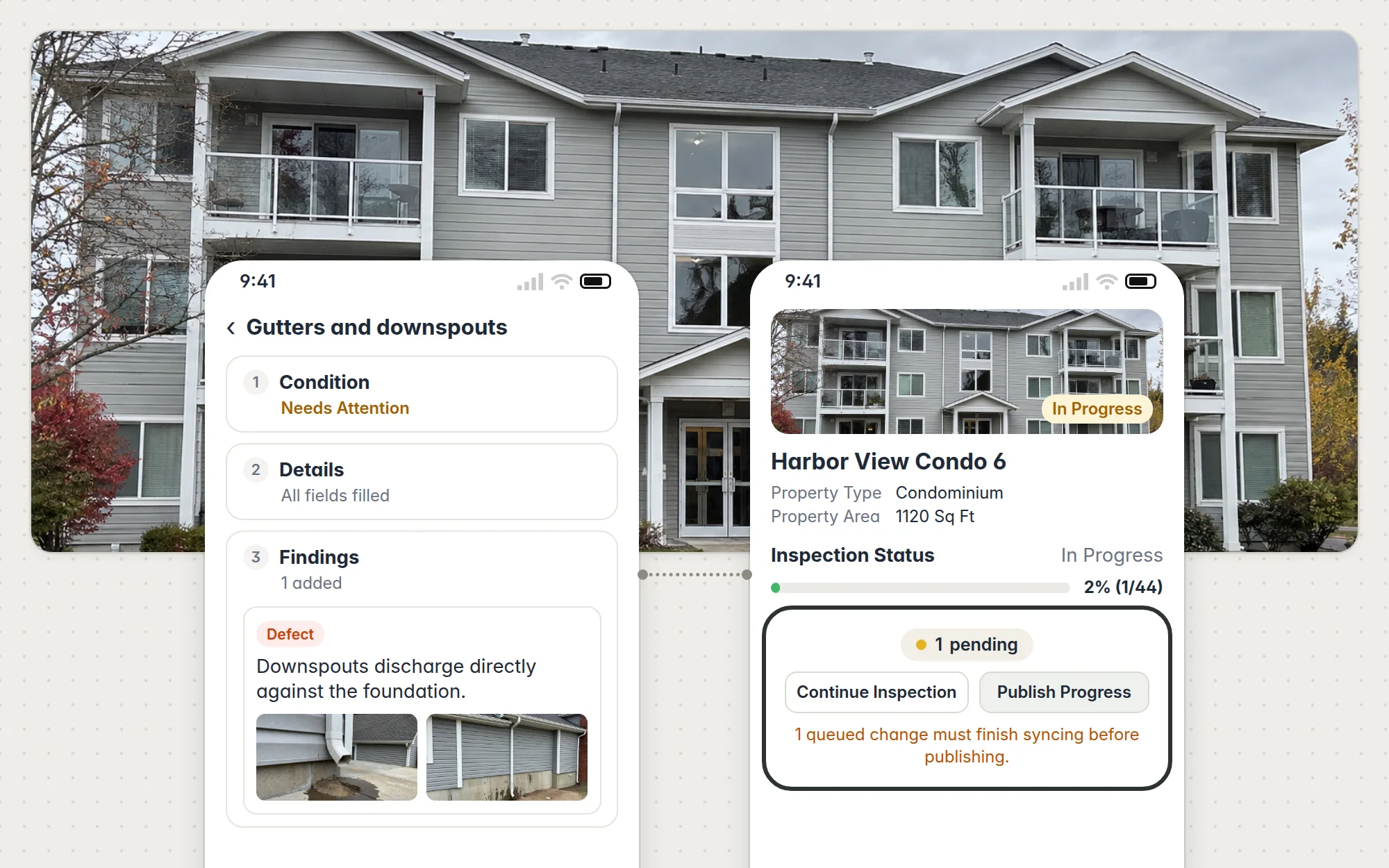
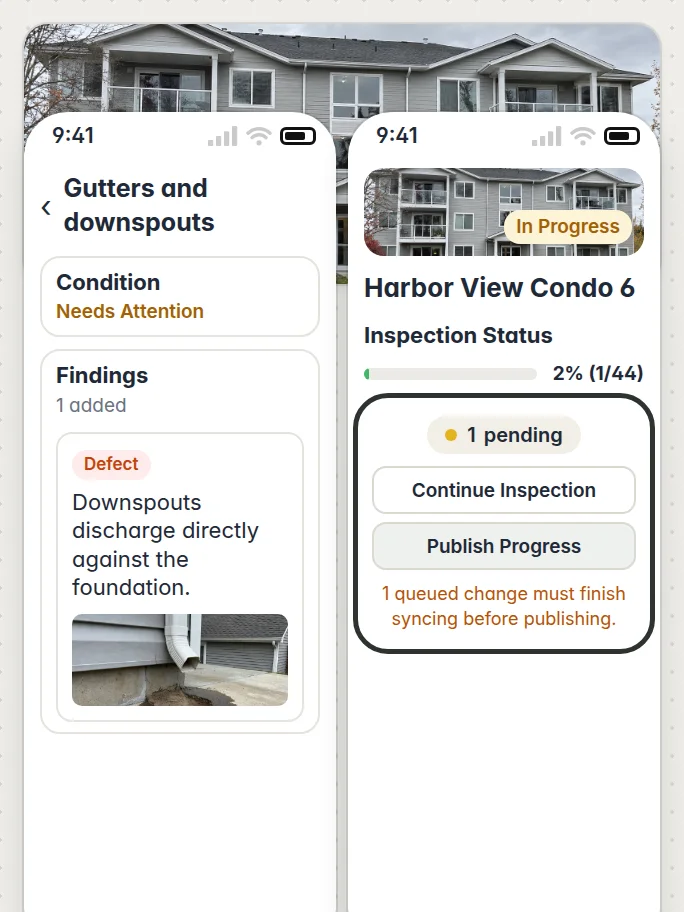
![Harbor View Condo 6 photographed, with two phones over it, both without signal: the Gutters and downspouts item at Needs Attention with its Defect finding and two photos, joined to the inspection in progress at 1 of 44, its 1 pending change, Continue Inspection and Publish Progress, and the message 1 queued change must finish syncing before publishing, outlined](/showcase/app-opening.webp)![Harbor View Condo 6 photographed, with two phones over it, both without signal: the Gutters and downspouts item at Needs Attention with its Defect finding and a photo, beside the inspection in progress at 1 of 44, its 1 pending change, Continue Inspection and Publish Progress, and the message 1 queued change must finish syncing before publishing, outlined](/showcase/app-opening-phone.webp)

## Runs on the phone you already carry

The phone app runs on iPhone and Android, and also on iPad. iPhone and iPad need iOS or iPadOS 15.3 or later. Sign in on any of them with a one-time code sent to your email or with Google, and on iPhone or iPad with Apple too. The web app runs in any browser, Mac included.

## How to get the app

On an Android phone, you sign in to the app with the account you make at Get started. On an iPhone or iPad, get the app from the App Store.

[![Download on the App Store](/store-badges/app-store.svg)](https://apps.apple.com/us/app/inspect-day/id6796232543)

Apple and the Apple logo are trademarks of Apple Inc., registered in the U.S. and other countries.

## Every photo and note goes in the report

**Photos and video.** Take a photo or record a video for a finding or an item, and see its upload progress while it sends. Pick up to ten from your gallery at a time. A video can be up to 100 MB, captured or picked.

**Findings.** Add a finding with a description, a finding type and a location, then add photos and video to it. You can edit or delete a finding from its menu.

**Voice notes.** Record voice notes in the app. They're turned into text after they upload.

**Markup.** Mark up a photo on iPhone, iPad or Android with freehand, arrow, circle or rectangle marks, in red, yellow or blue.

- Photos and video from the camera or gallery
- Up to ten from the gallery at a time
- Video up to 100 MB
- Markup on iPhone, iPad and Android with freehand, arrow, circle or rectangle
- Red, yellow or blue
- Voice notes, turned into text after upload

[See sample reports](/sample-reports/)
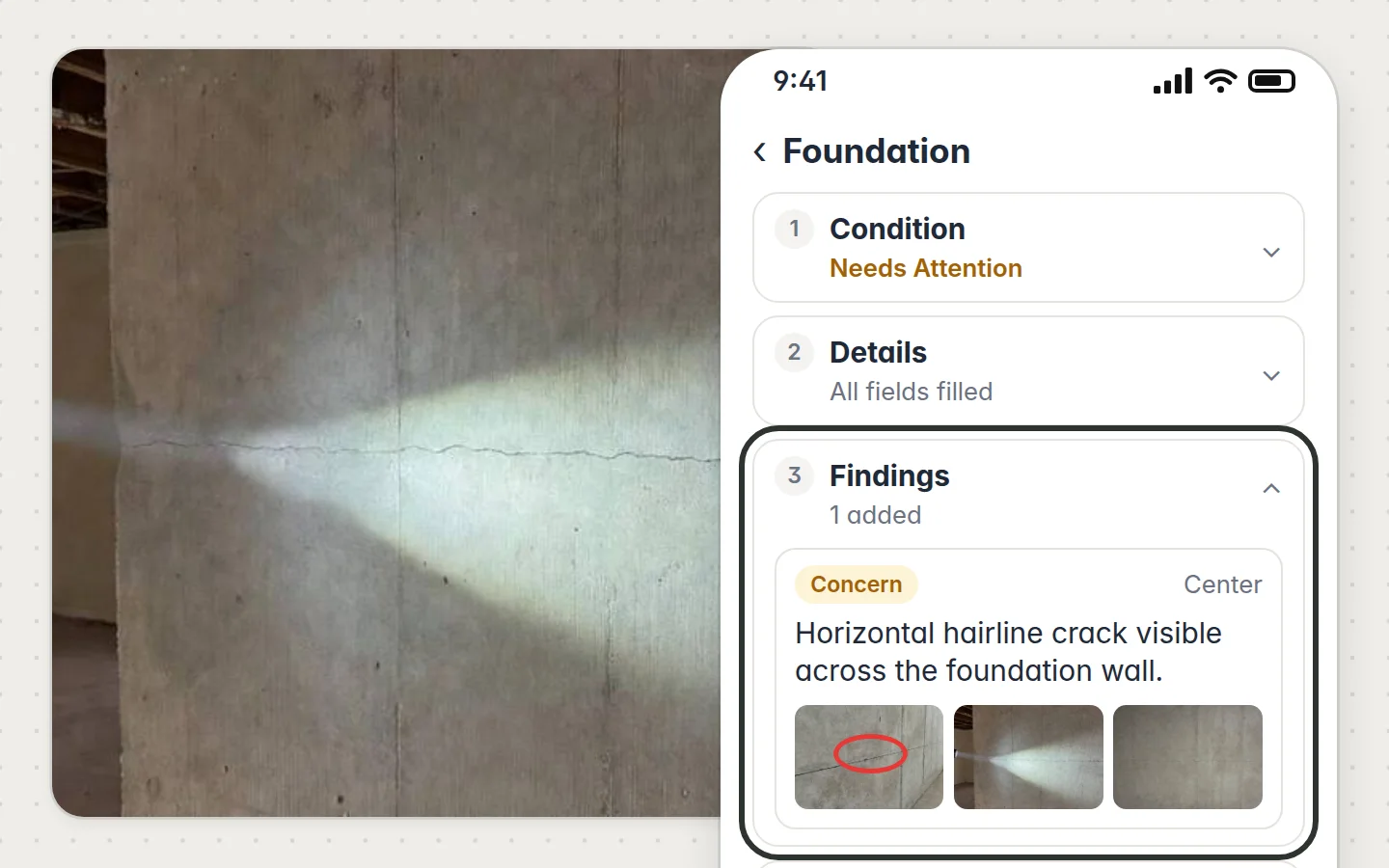
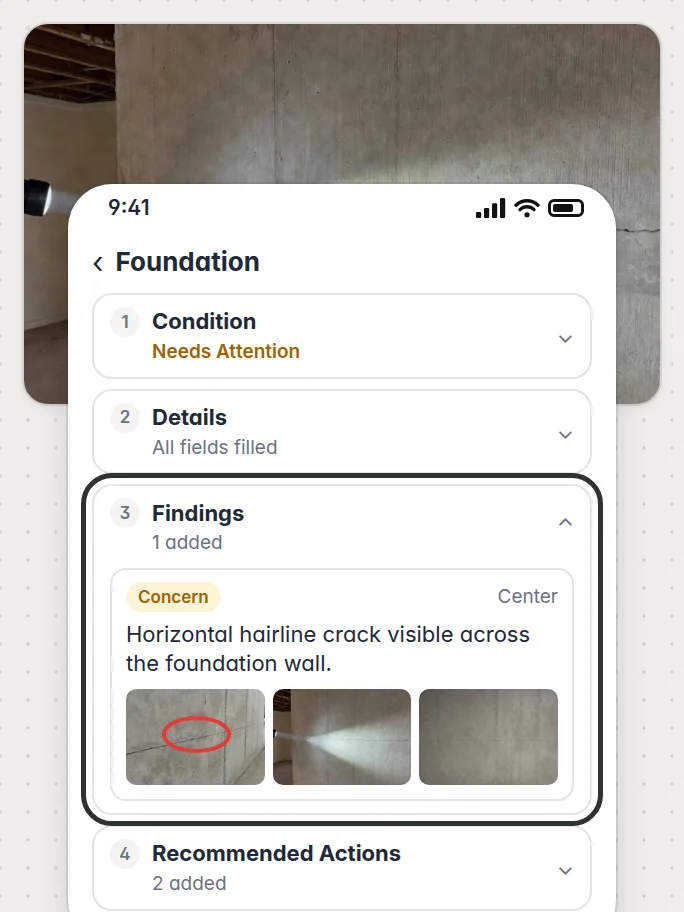
![A flashlight on the foundation wall, with the phone app over it on the Foundation item: Condition Needs Attention, Details all filled, the Findings step outlined with its Concern finding, Horizontal hairline crack visible across the foundation wall, at Center with three photos, one marked up, and Recommended Actions with 2 added](/showcase/app-on-site.webp)![A flashlight on the foundation wall, with the phone app over it on the Foundation item: Condition Needs Attention, Details all filled, the Findings step outlined with its Concern finding, Horizontal hairline crack visible across the foundation wall, at Center with three photos, one marked up, and Recommended Actions with 2 added](/showcase/app-on-site-phone.webp)

## Send the report before you drive off<dl>

<dt>Publishing</dt>
<dd>Publish from the app once every change has sent. While any is still waiting, the inspection's screen says how many and holds the report back, so it can't go out short.</dd>

<dt>Sharing</dt>
<dd>Send the published report by link, or by email to up to ten people.</dd>

<dt>Steps</dt>
<dd>Each step is in Help: <a href="/help/field-work-on-phone/">working through an inspection in the phone app</a></dd>

</dl>

## Your templates and office, set up on the web

- ### Templates

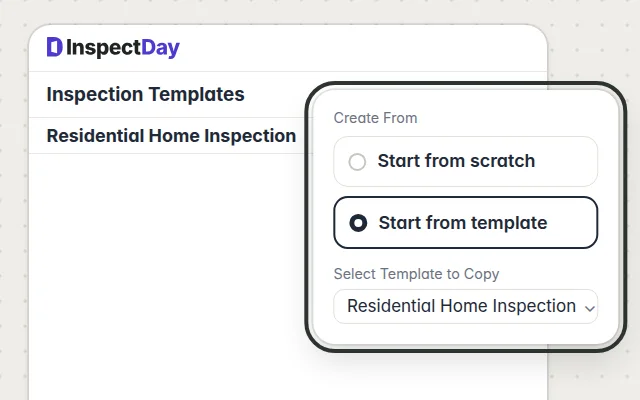
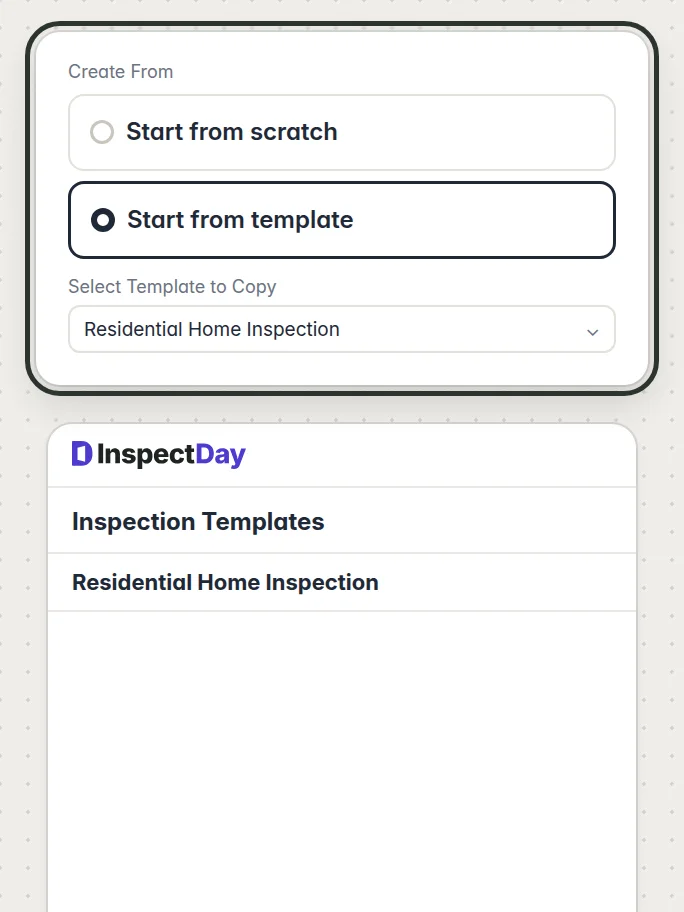
  Build your templates on the web, from scratch or from an existing one. In the app, you choose one to start an inspection.![Create From lifted and outlined over Inspection Templates: Start from scratch, and Start from template chosen with Residential Home Inspection to copy](/showcase/app-templates.webp)![Create From lifted and outlined over Inspection Templates: Start from scratch, and Start from template chosen with Residential Home Inspection to copy](/showcase/app-templates-phone.webp)
- ### Findings and actions

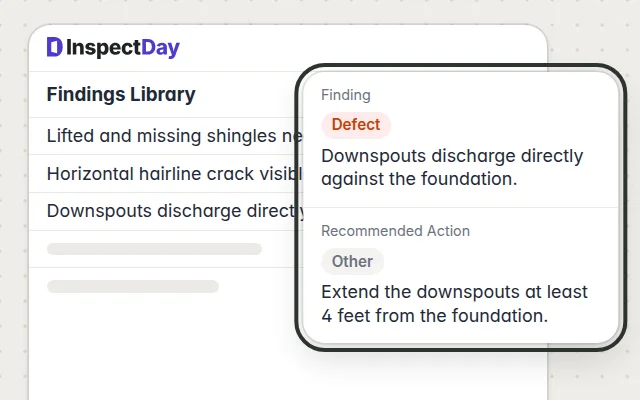
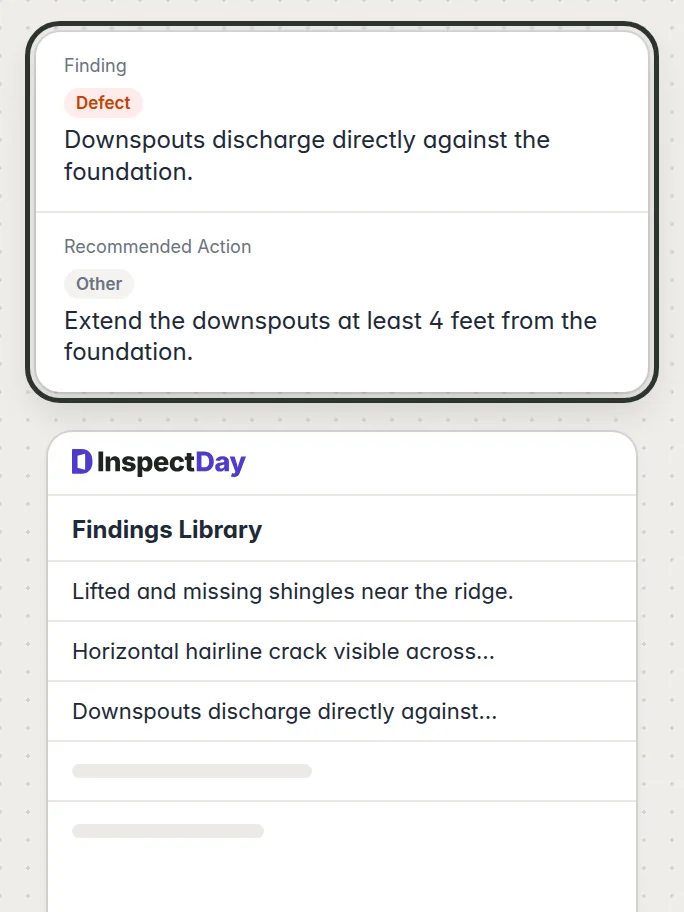
  Write a finding or a recommended action once in your library, then pick it in the app on every later job.![A library finding and recommended action lifted and outlined over the Findings Library: the Defect “Downspouts discharge directly against the foundation.” and the action “Extend the downspouts at least 4 feet from the foundation.”](/showcase/home-findings.webp)![A library finding and recommended action lifted and outlined over the Findings Library: the Defect “Downspouts discharge directly against the foundation.” and the action “Extend the downspouts at least 4 feet from the foundation.”](/showcase/home-findings-phone.webp)
- ### Inspections

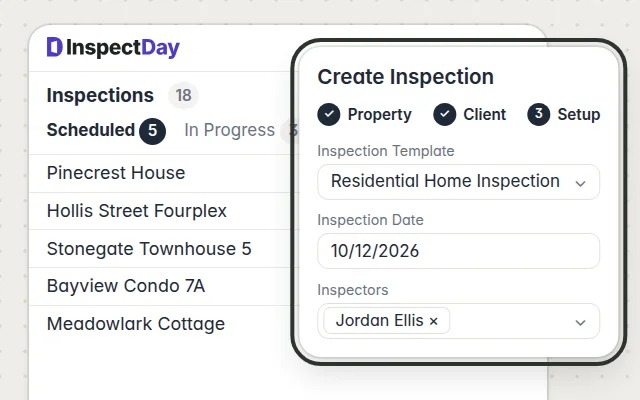
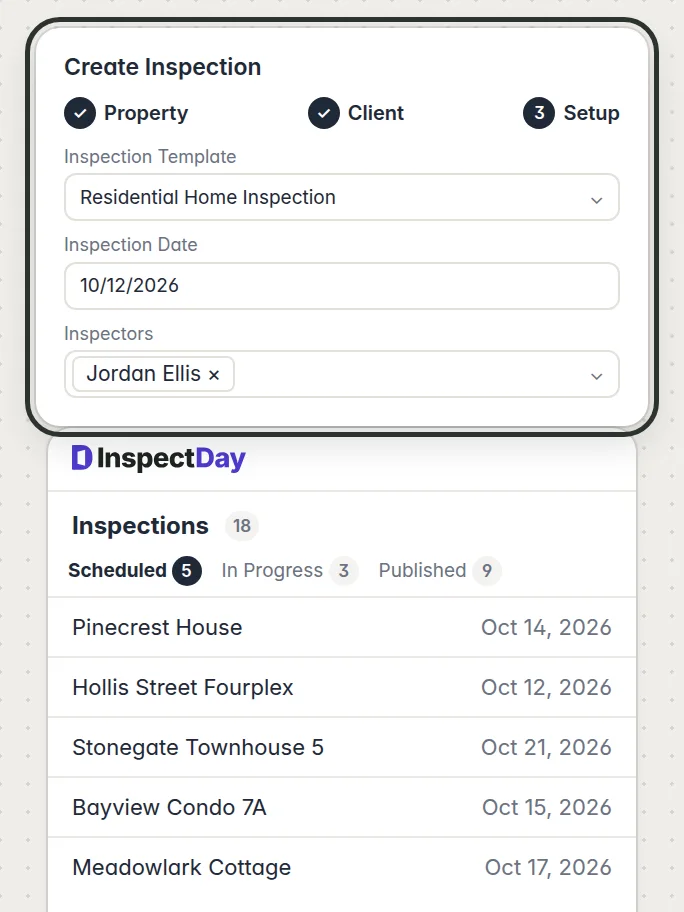
  Schedule each job with its property, client, date and inspector, and see what's scheduled, in progress and published on the dashboard.![Create Inspection lifted and outlined over the scheduled inspections, with Property and Client done and on Setup: the Residential Home Inspection template, the date 10/12/2026 and the inspector Jordan Ellis](/showcase/app-inspections.webp)![Create Inspection lifted and outlined over the scheduled inspections, with Property and Client done and on Setup: the Residential Home Inspection template, the date 10/12/2026 and the inspector Jordan Ellis](/showcase/app-inspections-phone.webp)
- ### Users and billing

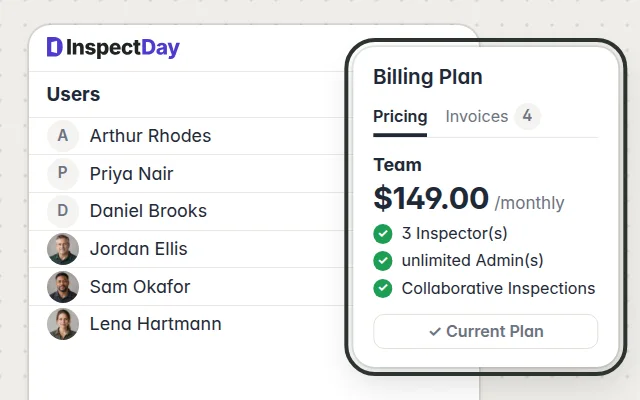
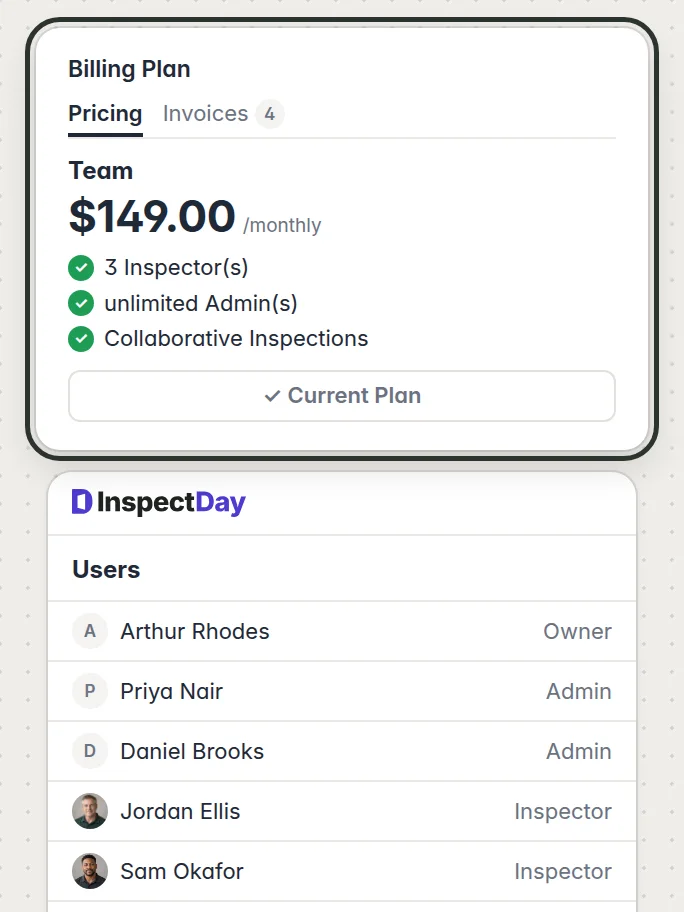
  Add, edit or delete users on the web, and manage your billing plan, seats and invoices there.![Billing Plan lifted and outlined over Users: Pricing beside Invoices 4, and the Team plan current at $149.00 monthly with 3 inspectors, unlimited admins and collaborative inspections](/showcase/home-users.webp)![Billing Plan lifted and outlined over Users: Pricing beside Invoices 4, and the Team plan current at $149.00 monthly with 3 inspectors, unlimited admins and collaborative inspections](/showcase/home-users-phone.webp)
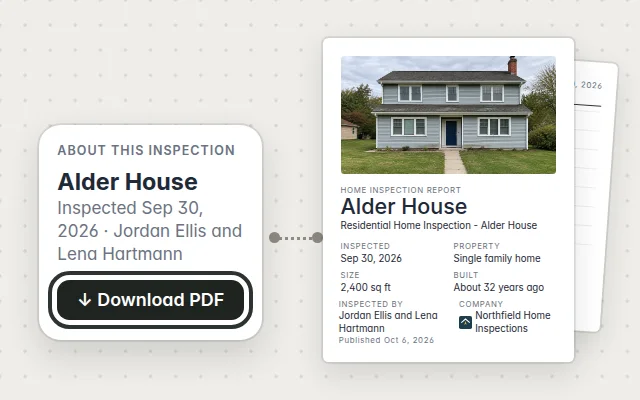
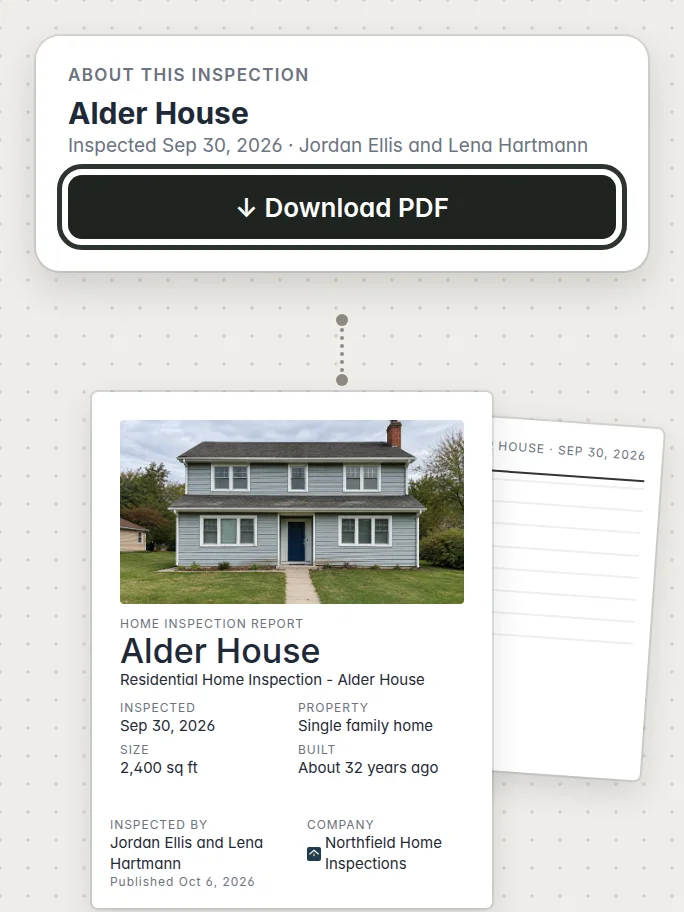
- ### PDF export

  Export a report as a PDF from the web app.![About this inspection for Alder House with Download PDF outlined, joined to the PDF’s first page, its cover with the house photo, title, details and Northfield Home Inspections, and its second page behind it](/showcase/app-pdf.webp)![About this inspection for Alder House with Download PDF outlined, joined to the PDF’s first page, its cover with the house photo, title, details and Northfield Home Inspections, and its second page behind it](/showcase/app-pdf-phone.webp)
## From the driveway to your client

1. ### Start the job

   Open the inspection on your phone with your template, while you still have signal.
2. ### Grade each item

   Set its condition, pick findings from your library, and add photos, video and voice notes.
3. ### Publish

   Tap Publish once everything has sent, and the report is out.
4. ### Share it

   Send it to your client and their agent by link or email.

## Questions before you switch

<details>

<summary>Does it work with no signal?</summary>


Yes. Your changes, photos, video and voice notes stay on your phone and send once you're back in signal, with the app open. Start the inspection before the crawlspace.

</details>

<details>

<summary>Is there an Android app?</summary>


Yes. On an Android phone, sign in to the app with the account you make at Get started.

</details>

<details>

<summary>Can I get a PDF of the report?</summary>


Yes, from the web app or the report's own page in any browser.

</details>

<details>

<summary>What does it cost?</summary>


Nothing on the free plan, with every inspection. The Solo plan is $49 a month, and no plan charges per report.

</details>
